Dec 13, 2016

Prevent Windows 10 Telemetry and Data Collection (Spying)

Windows 10 is faster and smoother than any other windows operating system.  It has many improvements over windows 8 and 7 including DirectX12 for improved CPU utilization in gaming scenarios, power-user improvements like the vastly improved command prompt control, security improvements, and more fluent search being only a few of the long list of improvements.  Although Windows 10 is better than 7 or 8 in many ways, it has its downsides.  Some of which include bloatware and automatically installing junkware, advertisements with PAID licenses, dumbified UI, random forced updates, and microsoft's telemetry.  The biggest problem of these being the telemetry.

Microsoft collects all your personal data all the time and they even state this in the user agreement. "We will access, disclose and preserve personal data, including your content (such as the content of your emails, other private communications or files in private folders), when we have a good faith belief that doing so is necessary to". Even though they collect all of your personal data, there are ways to disable this.  To disable Microsoft's spying,  we download get some freeware called "Destroy Windows 10 Spying".  http://www.majorgeeks.com/files/details/destroy_windows_10_spying.html


After downloading, go into settings and enable whatever you want to disable.  You can then go back to main and press "Destroy windows 10 spying"

Related image

Image result for destroy windows 10 spying 1.6


Sep 28, 2016

Google Expeditions

Google Expeditions-Virtual Reality

Virtual reality is a new age technology that is sweeping the nation, re-imagining the way we perceive entertainment as a whole. What you could once see on the big screen is now
something you can experience right in front of you!

The world is now at your fingertips, bringing forward distant lands straight into your living room, work space, or even your school.

Now while the entertainment purposes seem endless, the potential for learning is equally infinite, as teachers and students alike are finding new and interesting ways to bring virtual reality into the classroom.

One interesting way of bringing the kids to the knowledge is Google Expeditions.

Google Expeditions is a program/app that brings far-off places to a screen right before your eyes. With a virtual reality headset, you can be put right on the ground next to the Taj Mahal, Machu Piccu, and many other historical and interesting places.

It doesn't stop there, however, as support is being added to put people wherever in the world they wish to go. Field trips will drop the buses in favor of taking virtual tours right at the monument's doorstep.

Progression into fields such as this can lead to many things, from accessing all the world's corners from the comfort of your home, to attending class online in a virtual reality school environment.

The possibilities regarding this technology are endless, and as we continue to push the boundaries of tech, we begin to learn what we can really do with our imagination.

Sep 22, 2016

Lenovo vs Dell

Image result for chromebook dellImage result for chromebook lenovoThere are several key differences between the new Lenovo chromebooks and the older Dell models. 


Lenovo chromebooks have a new rotating camera which allows you to take front and back facing pictures. This feature is improving upon the Dell camera which is only front facing. 
Dell chromebooks have rubber corners, which provides better protection from being dropped. This feature is not available on the Lenovo chromebooks, which could potentially lead to disaster. Catastrophe could strike if you were to drop your chromebook and it broke. In this situation the Dell chromebooks have a significant advantage over the Lenovo ones. 

The Lenovo also have their own advantages over the Dell chromebooks. For example the Lenovo are slightly cheaper than the Dell. Overall this could be very good for cost efficiency simply because of how many we need to buy every year. Lenovo Chromebook also have the added value that they all have a handle. This makes them easier to carry and reduces the risk of dropping them. Overall both types of Chromebook could be valid options because they each have their own bonuses.   

Differences between Windows 8 & 10


  • Start Menu
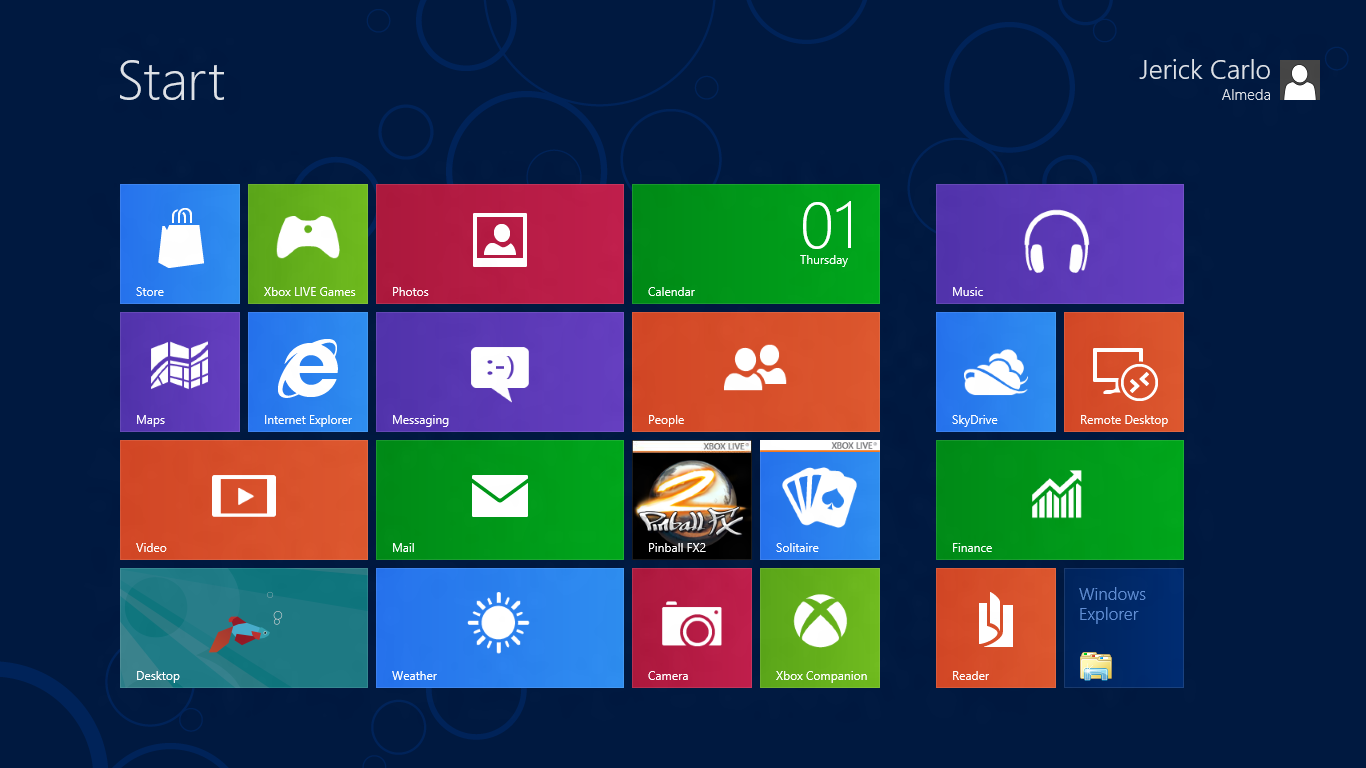
    • In windows 8 when you hit the windows key it would bring you to a whole different screen and would ruin the atmosphere of what you were currently working on and was confusing to get into and out of.
    • In windows 10, they took the same layout of the other screen and just made it smaller and compact in the bottom left hand of the screen. This is more convenient because you can see what you are working on while having the menu open at the same time.
    • Overall windows 10 is better because it is easier for the consumer to figure out what they are doing and more efficient for their work. 
    • Windows 10 on left and Windows 8 on right.
Image result for windows 8 start menuImage result for windows 10 start menu       
  • Microsoft Edge
    • In windows 8 microsoft provided its consumers with a program called internet explorer in which nobody used. This was because it sucked and would take up lots of ram and just overall run way slower.
    • Windows 10 introduced Microsoft Edge which is a internet program that is designed to work explicitly with the new operating system. Microsoft runs very fast and has little ram usage so it doesnt task the computer too much.
    • Overall windows 10 beats out windows 8 once again by popular vote.
Image result for microsoft edge
  • Xbox One
    • Windows 10 brought a new feature to the table with the new os. This was the addition of support for Xbox One users. Consumers can now stream live feed from their Xbox to their PC and even view their friends list.
Image result for Xbox one

Sep 15, 2016

Googlepalooza by Josiah Smith

Googlepalooza is an event hosted by our school for our entire district. Setting up for a group of people that large is a difficult process due to our schools lack of internet access points in the only place large enough to house 850 people which was our gym. We spent a week creating mobile access points. We made enough 
Image result for googlepaloozaaccess points to allow each person to get on at least three devices. For example, we had to be prepared for each person to be on a computer, a phone, and any other device that needed connection. We placed access points underneath the bleachers facing up to allow for the most signal strength with the easiest setup we could think of. On the day of Googlepalooza a group of three students (myself, Colton Barker, and William Kauppi) sat down with a group of teachers, and provided information on our T.S.I. class as well as how going 1to1 was an advantage, as well as a disadvantage. Basically, we gave them information on our mistakes so they wouldn't make the same ones. At the end of the day we learned that we had over prepared when it came to internet. We had room for many more devices to be connected. From my time talking with teachers who attended they said that they enjoyed the event, and expressed how much they learned from each session. 

Mar 3, 2016

Gaming PC Build

After several months of putting every dollar I make into parts for my computer. TSI gave me a time and place to put my computer together. With a massive amount of help from people who have been putting computers together longer than I have, we had my computer built in a matter of a couple of hours. I strongly recommend to anyone planning on building a PC to either do a lot of research on parts or go to somebody you know that is really smart when it comes to computer hardware before you start buying things. The reason I say that is because although my PC is nice it could have been better with slight changes in parts. IMG_0606.JPG
Motherboard with Ram and CPU


Case with power supply
IMG_0602.JPG


IMG_0609.JPGGraphics Card

Mar 1, 2016

Lumosity


Lumosity is a brain app.  In other words it works out your mind through games and other activities to stimulate certain parts of the brain.  It can help increase focus and attention for school and work.  It also is a great way to start off your day with a round of brain training.  It helps to jumpstart your mind and get you out of that morning grogginess.
                                                     Image result for lumosity

Feb 29, 2016

Haydens sick idea

In TSI i am working on using graphs and charts on google sheets(sort of excel) to monitor my workout progress and mile time progress. Also trying to figure out a way to utilize formulas to help track macronutrients and calories. I hope to make a new workout program that works for me based on graphicly tracking my progress.

hayden ullrich

Feb 22, 2016

Turn It Off and On Again

In TSI, you come in knowing you can depend on us to solve your problems with your Chromebook, the school WiFi, and any question concerning IVC's local technology.  Most of the time we have kids come in to TSI with a problem connecting to WiFi, etc, we turn it off and on again, and they look pretty embarrassed when their device starts working.  If you think we're wizards with technology, you're wrong, though.
When you have a problem with your Chromebook or whatever you're having trouble with, just turn off and on the damn thing first. Enough said!  90% of what TSI is doing now just turning off and on your devices, and a trip out of class for a few TSI students to stare at you like you akwardly when your device powers on without a hitch probably isn't worth it.  A friendly word of advice, is to just try and turn it off and on again first.  So never forget to try your own fix if you have a software issue.  Never forgetti mom's spaghetti.


Feb 18, 2016

How to Download Youtube MP3's SAFELY

How to Download Youtube MP3's SAFELY

So recently I've been asked how I get so much music on my phone, and I mostly use this tactic. It's more legal than just downloading it from a sketchy website. You just have to be careful and know your stuff to be able to use it.

First, find your song that you would like to download to your device. For this example we will use
"The Andrews Sisters - Boogie Woogie Bugle Boy Of Company B" because it's copyright is no longer in effect. This is extremely important. MAKE SURE THE COPYRIGHT IS NO LONGER IN EFFECT. Otherwise this entire process is ILLEGAL.


So visit the Youtube page of the non-copyrighted song you want to download the copy the link from the address bar at the top.

Now, go to this address.
http://www.youtube-mp3.org/
This is the website for downloading the video.

Simply past the link where that website asks, press the 'convert video' button, then download the MP3 and put that file on your device. Piece of cake, but be careful. I cannot stress enough to only do this to non-copyrighted songs, because it is rather easy to catch people that use this to download things illegally. Stay safe out there internet users.

Talk Behind The Counter: Concerning Kahoot

Hello again, Everyone!

Hey everyone, Caped Baldy here, and I'm here to talk about the recent Kahoot problems. As of late, there's been some issues in which people trying to access Kahoot on the common IVC-DOD network were denied access.

The problem, at the surface, didn't concern any conflicts with Block.si or Sonicwall, but there's several theories as to just what was exactly happening. We've been working near-constantly here in TSI in order to fix the problem, and we think we might've fixed the issue.

After strenuous amounts of time placed into the case at hand, we've corrected the issue, but there's no doubt that Lady Luck has it out for us as of yet. Keep an eye out for any other problems, and always be sure to report technological problems to TSI as soon as possible, so that we can keep everything running smoothly.

Until disaster strikes once more, we'll be here, keeping a watchful eye over everything, and keeping everything in working order.

Until next time!

Feb 12, 2016

Talk Behind The Counter: Insider's Look At TSI

Hello Everyone!

A certain blogger here, I'm actually fairly new, and I am most excited to finally get to exercise my writing muscle. I can't say that what I have in mind for this blog isn't particularly clear, but I hope to be able to convey just what we do here in TSI more clearly for those who seem to hold questions.

I more or less look to give those inquisitive minds out there an insider's take on the things that seem to unfold in this quiet little corner of the school. From new developments that will affect the way you interact with the school technologically, or just interesting tidbits regarding the things that seem to catch some eyes. I hope to capture the essence of both the techie's insight as well as the normal student's, providing a unique double-take on the things that either matter the most, or seem the most interesting.

You'll have to bear with me though, as much of a new prospect as it might be for those of you out there perusing this humble blog, it'll also be a new experience for me too. However, I hope that together, we can both learn something valuable from this, be it of a technological nature or otherwise.

Well, that seems to be all that there is on my end, so far. Check in from time to time to keep up with what's going on, as I'll be sure to keep you all posted on the developments taking place here, in TSI!

See you soon!

Feb 11, 2016

Sticky Notes Tutorial


Hey IVC, this is a two minute tutorial that shows you how to find and download and use an application called:  StickyNotes.  If you like this video and want more of these videos leave a comment.

If you have an application that you have no idea how to use, leave it in the comments as well and we will put another video out.

Feb 9, 2016

Python Independent Study

At the start of the semester I was given the opportunity to take an independent study course through TSI on the programming language Python.  Thanks to the one to one initiative at our school I am able to take this course online anytime I want to.  During my 3A period I am able to work on Python at my own pace and ask any questions I need to.  For this class I use a website called Code Academy.  This website offers many free course on multiple programming languages.  It is a fantastic website.  Thanks to this independent study I am able to focus even more on a hobby I love that I plan on turning into a career.  This has been a great experience that I will always be grateful for.
codeacademy.com
Example of Code Academy Python

Dec 10, 2015

"Yik Yak" and "After School" Apps Manipulate Users

Many students have used or currently use apps like "Yik Yak" and "After School" to socialize with other students in their area.  Oddly enough, the apps themselves are designed to manipulate you to get into conversations many times with an automated system.  In other words, you are chatting with a computer! Need proof... click the link below!

http://www.edtechsamurai.com/2015/12/08/after-school-app-manipulates-users/

Dec 7, 2015

Teacher Instructions for Unblocking a YouTube Video


STUDENTS!!!
If you need a video approved for academic reasons, ask your teacher to unlock it, or come down to TSI and talk to Mr. Birkel.  All of your teachers can unblock videos on YouTube.  If you ask a teacher and they cannot unblock it come down to the TSI room (145) and Mr. Birkel will unblock it for you. 

How to Download Youtube Videos IVC High School

Here's a video to teach you how to download videos. Yep. Video-ception.

Oct 19, 2015

Chromebook Loaners

Hey there IVC students, some of you may or not know but the TSI room is equipped with loaner chromebooks that may be given out to a student that has their chromebook in for a repair or if you left yours at home or need to charge yours, this does not mean you purposefully break or leave your chromebook, it just means that TSI is here to help any way we can, if it becomes a major problem that you are always forgetting or not charging your chromebook we will kindly tell you:  ¨You will need to bring yours.¨ we do not have the resources to give every student a loaner, and it's not fair for one student to always have a loaner  when there is a student who needs it, we do not have one for them because the loaner was given to someone who does not need it.  As a courtesy to other people at IVC please charge your chromebooks, take care of them, and do not take a loaner unless you have to.  I am sorry if i come across as condescending but we do not like to turn away people who need a loaner and can not get one because we do not have one, we don't want to do that.